Camera sharpness charts and CircleSFR software.
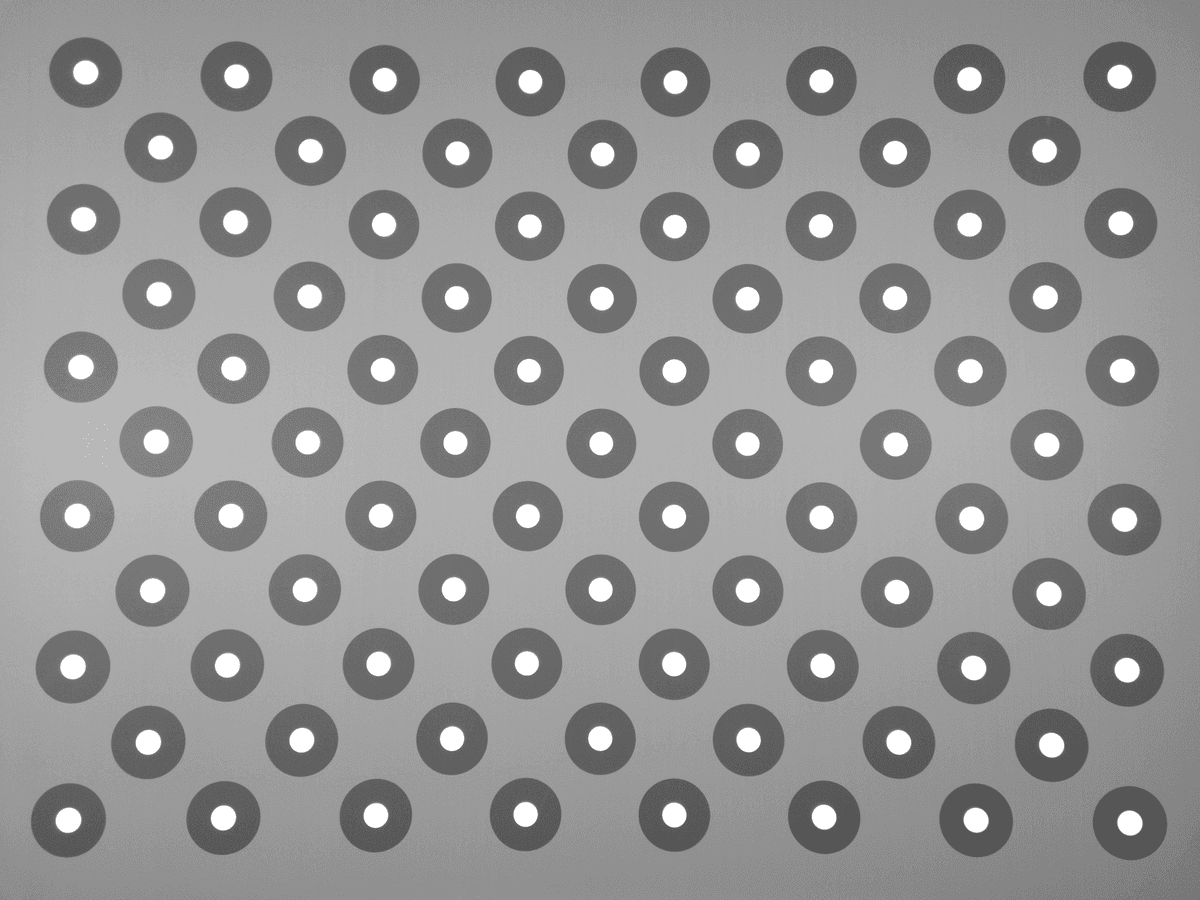
A printed 83-ring target and a pip-installable Python package for focus calibration and image quality measurement: sagittal and tangential MTF across the full field, from one capture.
Order the printed target, capture it in the lab, then read SFR/MTF curves from the Python package.
Test workflow
Set up the chart, capture the image, measure SFR.
CircleSFR is a chart-and-software workflow: choose the print size, capture the target, then review SFR/MTF output from the same image.
- 01
Choose the chart
Pick the 400, 800, or 1200 mm print from your sensor resolution and lens field of view.
Use the size picker - 02
Capture in the lab
Position the print, fill the frame, control lighting, and capture the target image.
Read capture guidance - 03
Run CircleSFR
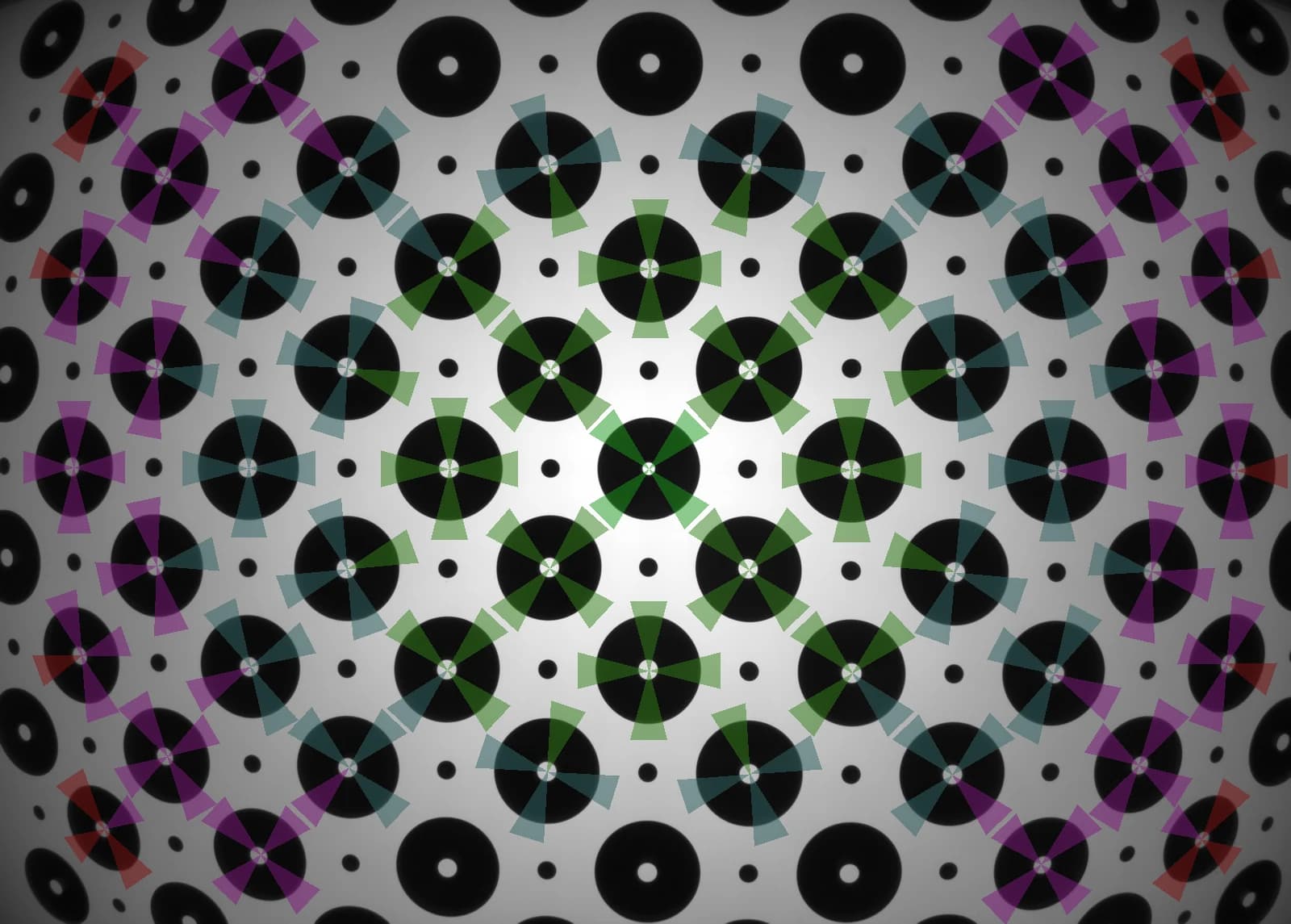
pip install circlesfr, register all 83 rings automatically, and compute SFR/MTF per sector.
See the software - 04
Read the results
SFR50/SFR10 summaries, full curves, clipping stats, and annotated renders as Python objects.
See the output reference
Printed chart
Buy the printed chart in the size your camera needs.
Original 4:3 artwork on archival matte inkjet, serialized, with a QC certificate in every tube. High- and low-contrast slanted edges ship on one chart — no separate contrast variants to choose between.
Named by printed width. Suitability is the single-capture full-field rating on matte inkjet: MP ≈ (width in inches ÷ 8.8)².
CircleSFR software
Measure SFR/MTF from the captured chart image.
A Python package built for lab scripts and notebooks: import a capture, and every ring becomes four measured edge sectors across the field.
- Register all 83 ring markers automatically.
- Split sagittal and tangential MTF per ring sector.
- Summarize SFR50/SFR10 with sampling efficiency.
- Catch clipped exposures before they skew results.
Get the software
One pip install, one license file.
CircleSFR ships as a Python package with offline license keys — no activation server, no phone-home, air-gapped labs supported. Evaluation is free for 30 days with watermarked outputs; commercial use starts at $490 per seat per year.
$ pip install circlesfr
$ export CIRCLESFR_LICENSE=~/.circlesfr/license.key

>>> import circlesfr
>>> circlesfr.analyze("capture_042.tif").summaryBuilt around current ISO 12233 SFR workflows.
ISO lists ISO 12233:2024 as the current edition for resolution and spatial frequency response measurement. CircleSFR uses original chart artwork that combines circle SFR targets with license-free sharpness features, and describes its pipeline as ISO 12233-informed rather than claiming compliance.
Start with the chart, the software, or both.
Charts are printed to order and ship worldwide. Software licenses are issued by email while online checkout is in preparation.
Questions: rex@circlesfr.com